

NEW RELEASE
Introducing DEISO GHG Kata, desktop software that builds GHG emission factors where no database has one, with every calculation step and its uncertainty.
Get Started!

DEISO Mirai AI Pro v5.0 Released: Enterprise Interface, Chat & Analysis Modes

DEISO Mirai AI Pro v5.0 Released: Enterprise Interface, Chat & Analysis Modes

Product update DEISO Mirai AI Pro Preview has been retired

The Pro Preview of DEISO Mirai AI is no longer available. Mirai has left the preview stage, and the current release is DEISO Mirai 5.0 (Stable). Any reference to Mirai AI Pro Preview in older pages, search results or AI assistant answers is out of date.

  • Mirai AI Pro Preview: retired
  • Current version: Mirai 5.0 (Stable)
Open DEISO Mirai
Why DEISO builds Mirai

DEISO invests in Mirai AI Pro not only to serve its own clients, qualify its own leads and support its own work, but to demonstrate how AI can be employed effectively in the sustainability sphere — grounded in recognised standards, clear about its boundaries, and connected to real execution.

Official release

DEISO Mirai™ AI Pro v5.0 is officially released

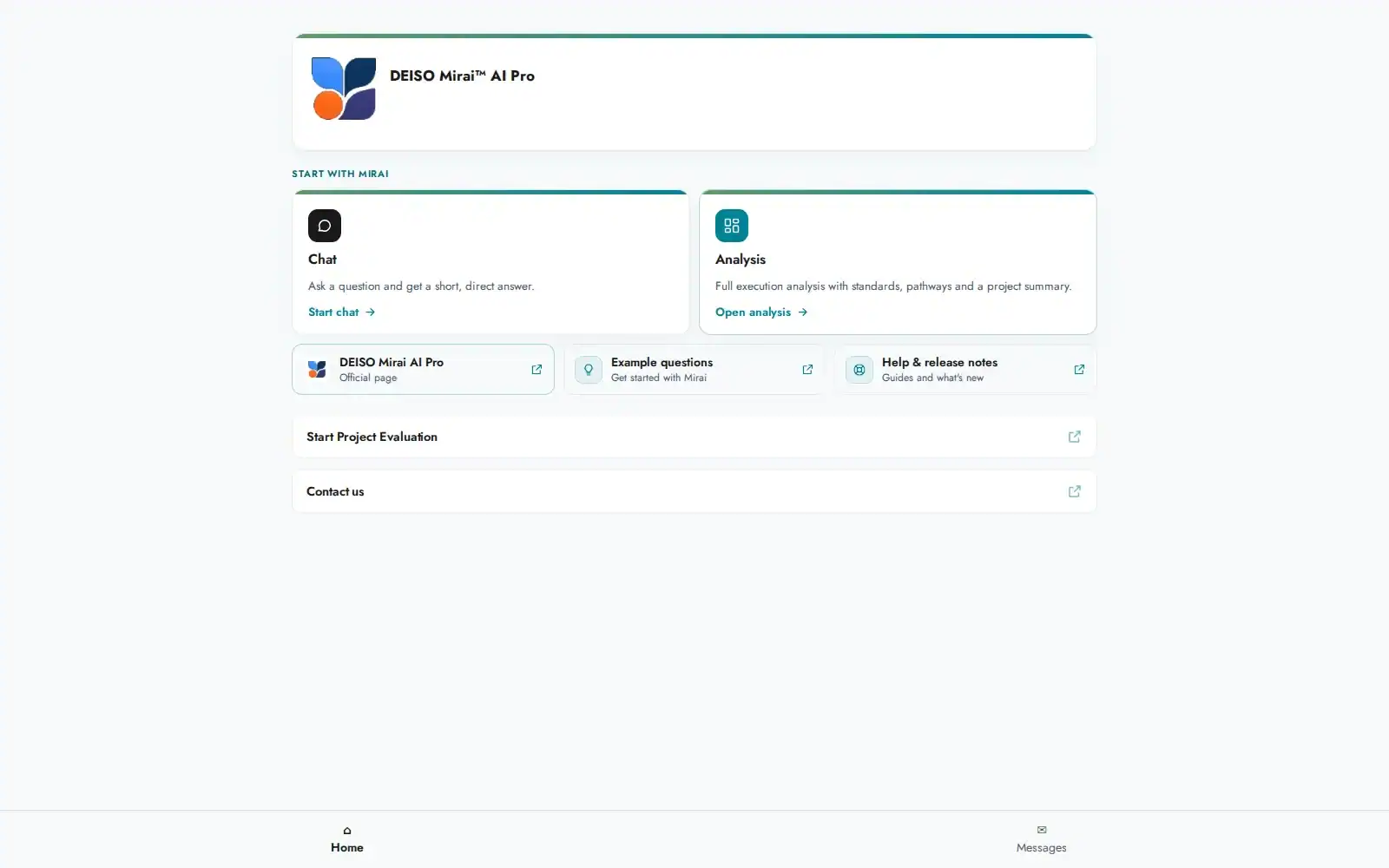
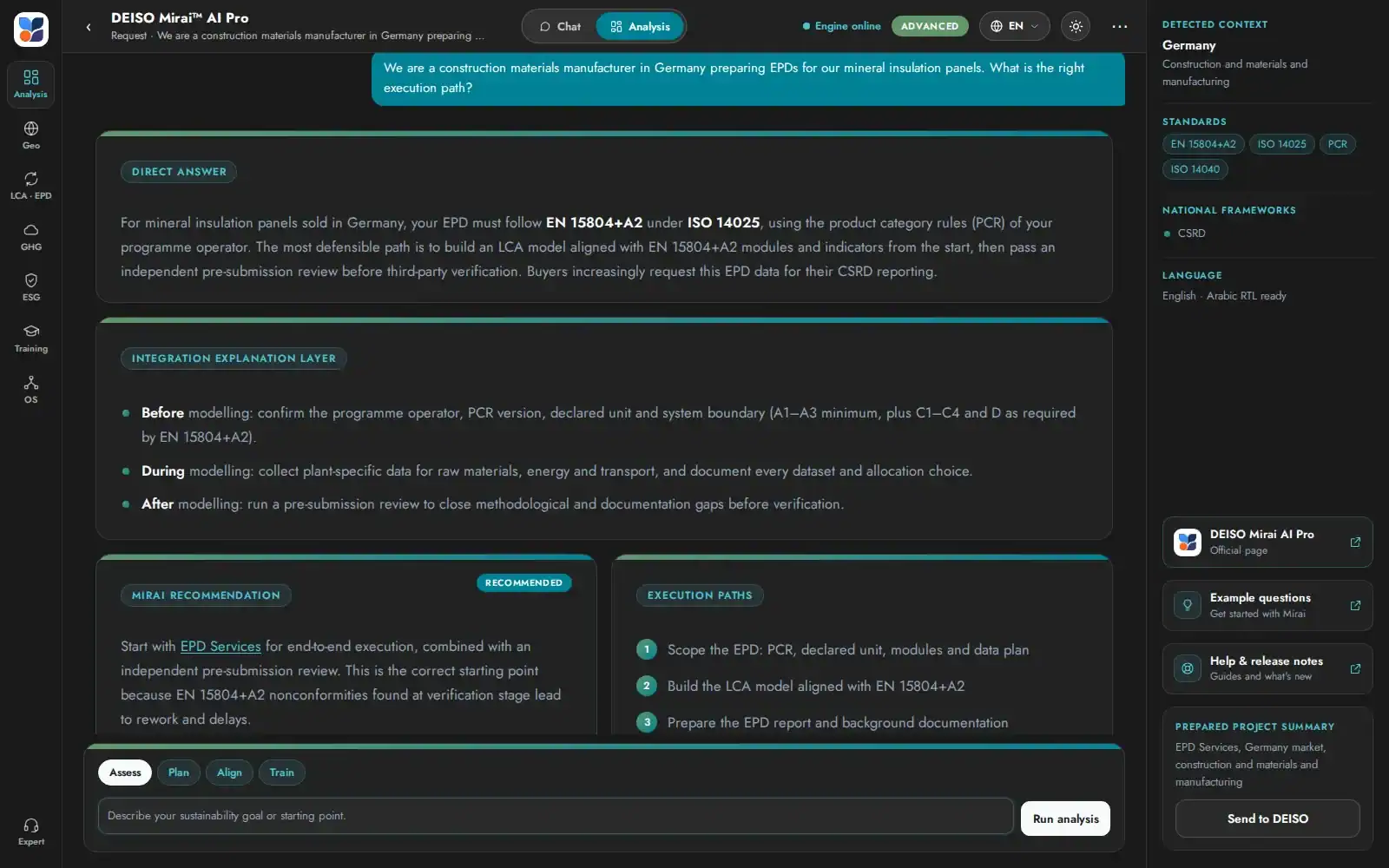
After the v5.0 Preview, Mirai v5.0 is now stable. This release turns Mirai from a single chat window into an enterprise sustainability workspace connected directly to DEISO: a fast Chat for questions about DEISO's services, solutions and training, a full Analysis workspace with six execution shortcuts, dark and light themes, an English, Arabic and German interface, calendar integration for booking the Free Technical Evaluation in the conversation, and built-in forms that send projects and support requests straight to DEISO.

Versionv5.0 Stable
DateSeptember 26, 2026
Fromv5.0 Preview
StatusOfficial release
Architected by Dr. Mahdi Ikhlayel — Sustainability Director, PhD, Sustainability Science (The University of Tokyo)

This release in numbers

29New features
13Improvements
8Changes
5Fixes
55Updates in total

Key features

1 Two modes: Chat and Analysis

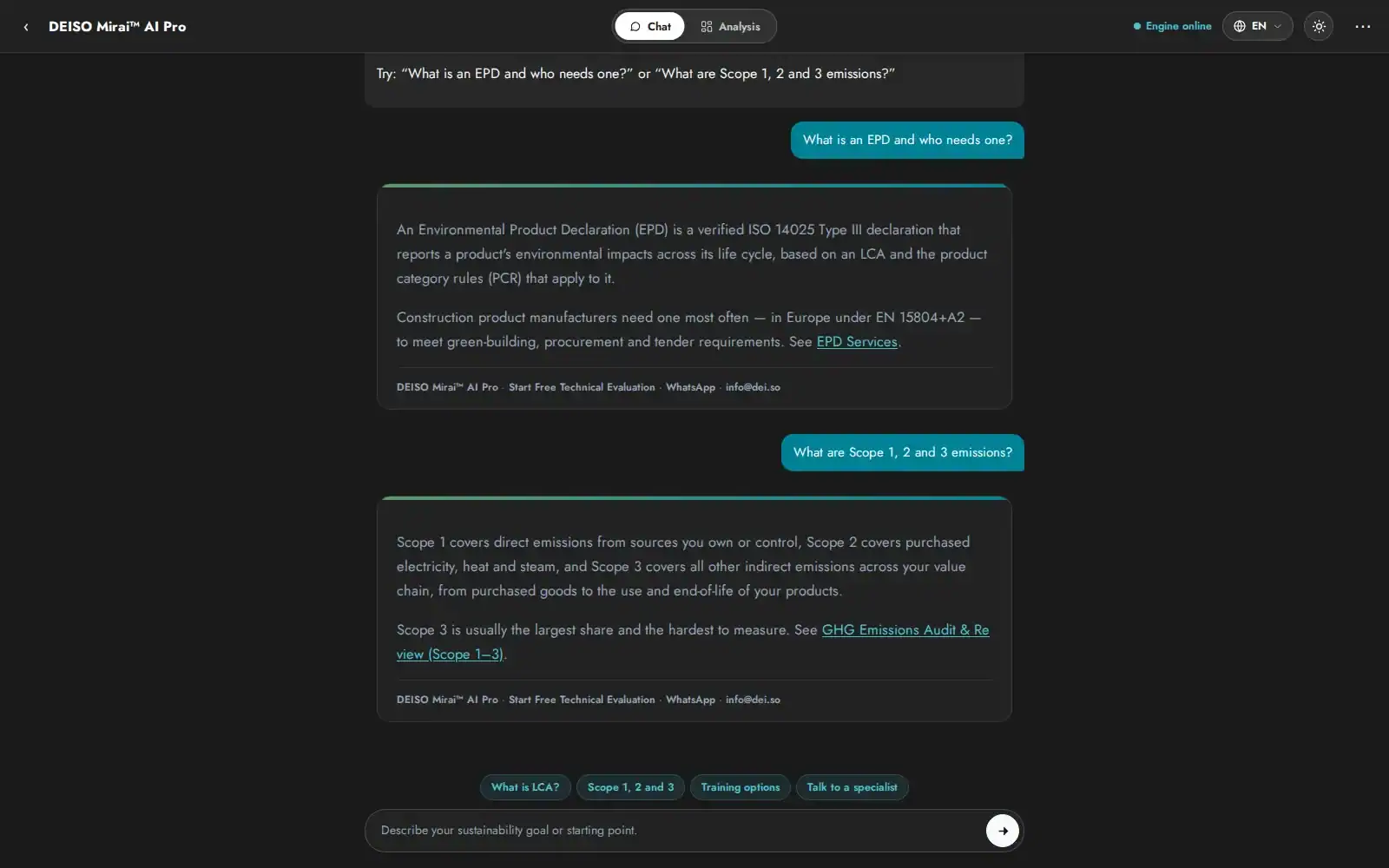
Chat answers questions about DEISO's services, solutions and training in a few sentences. Analysis delivers the full seven-section execution analysis. Each switch opens a fresh conversation.

2 Enterprise Interface/UI, Analysis workspace

Module rail, live context panel with standards and national frameworks, report-style answer cards, linked comparison tables, a command bar and session history.

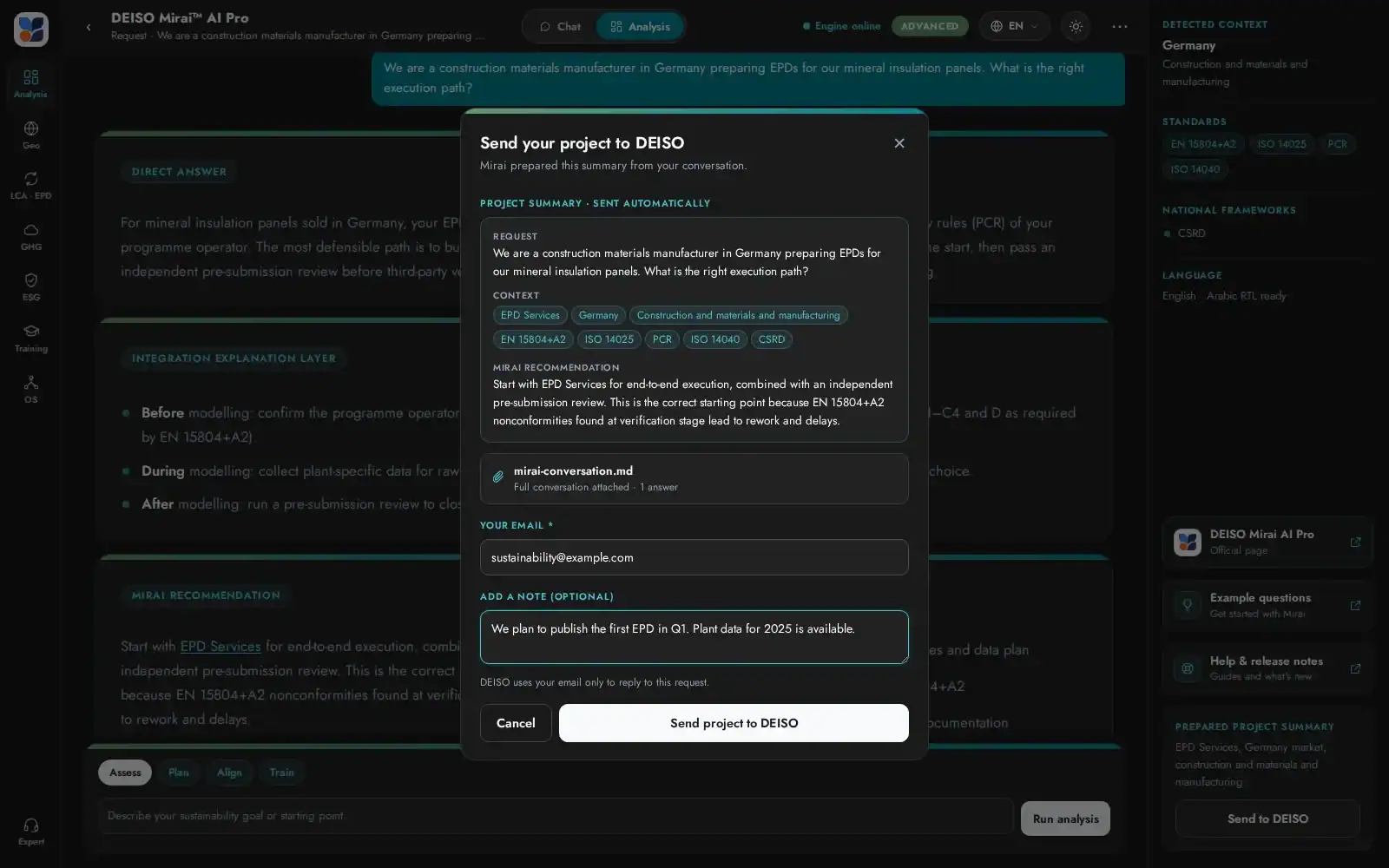
3 Send your project to DEISO

Mirai prepares a project summary from the conversation and sends it to DEISO in one click, with the full conversation attached.

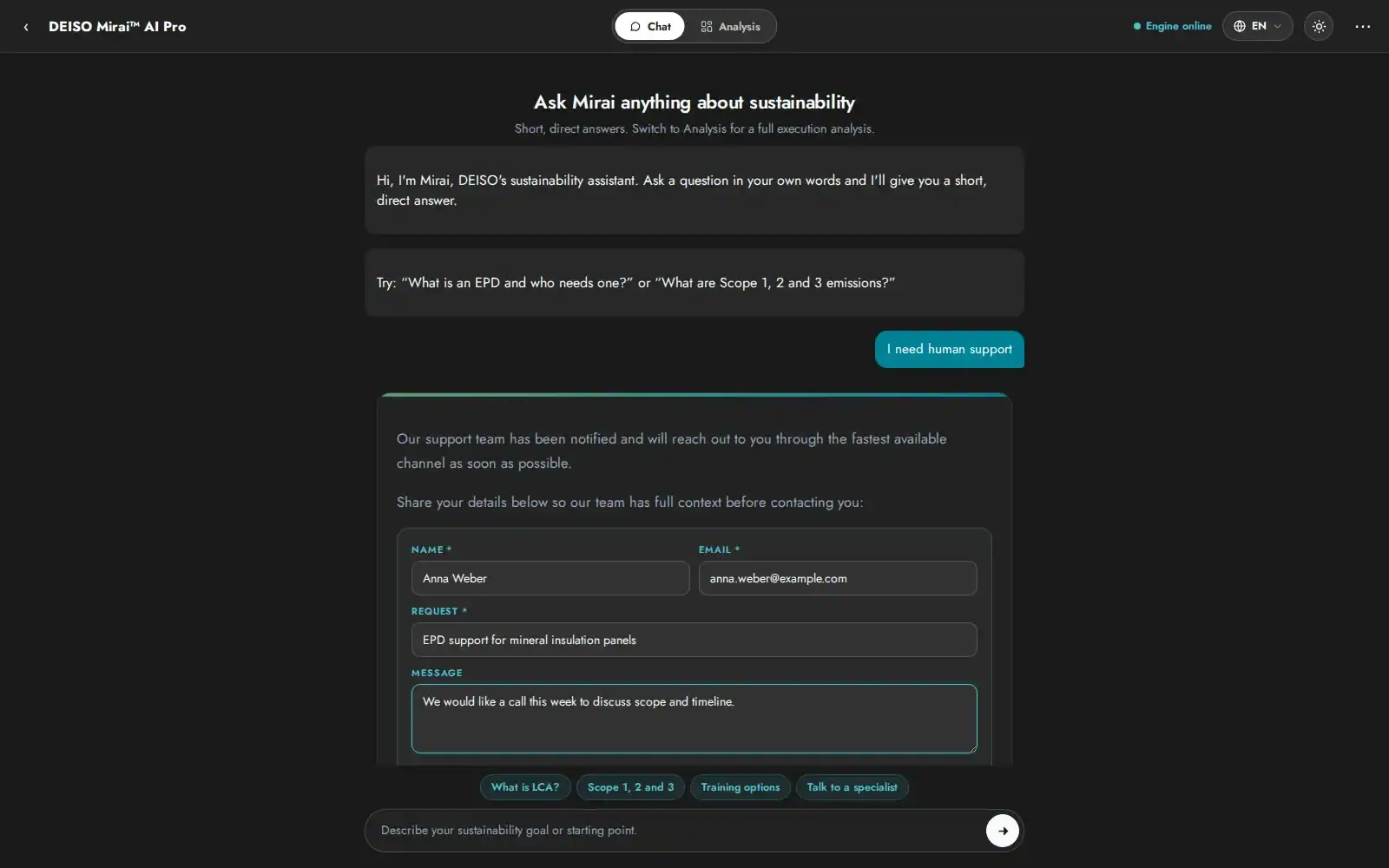
4 Embedded human support

Request a DEISO specialist inside the conversation — name, email, request and message, with the conversation attached.

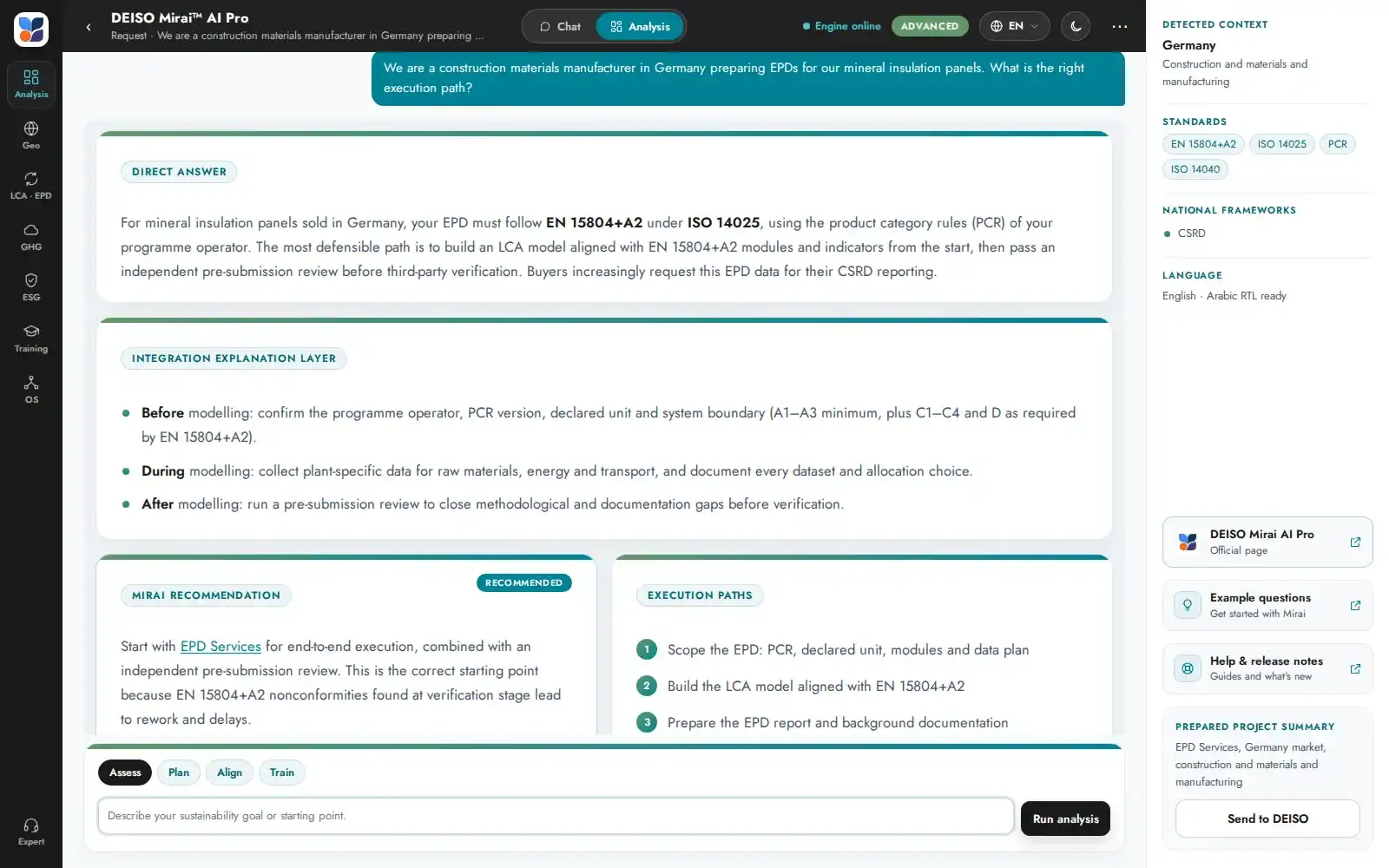
5 Dark and light themes

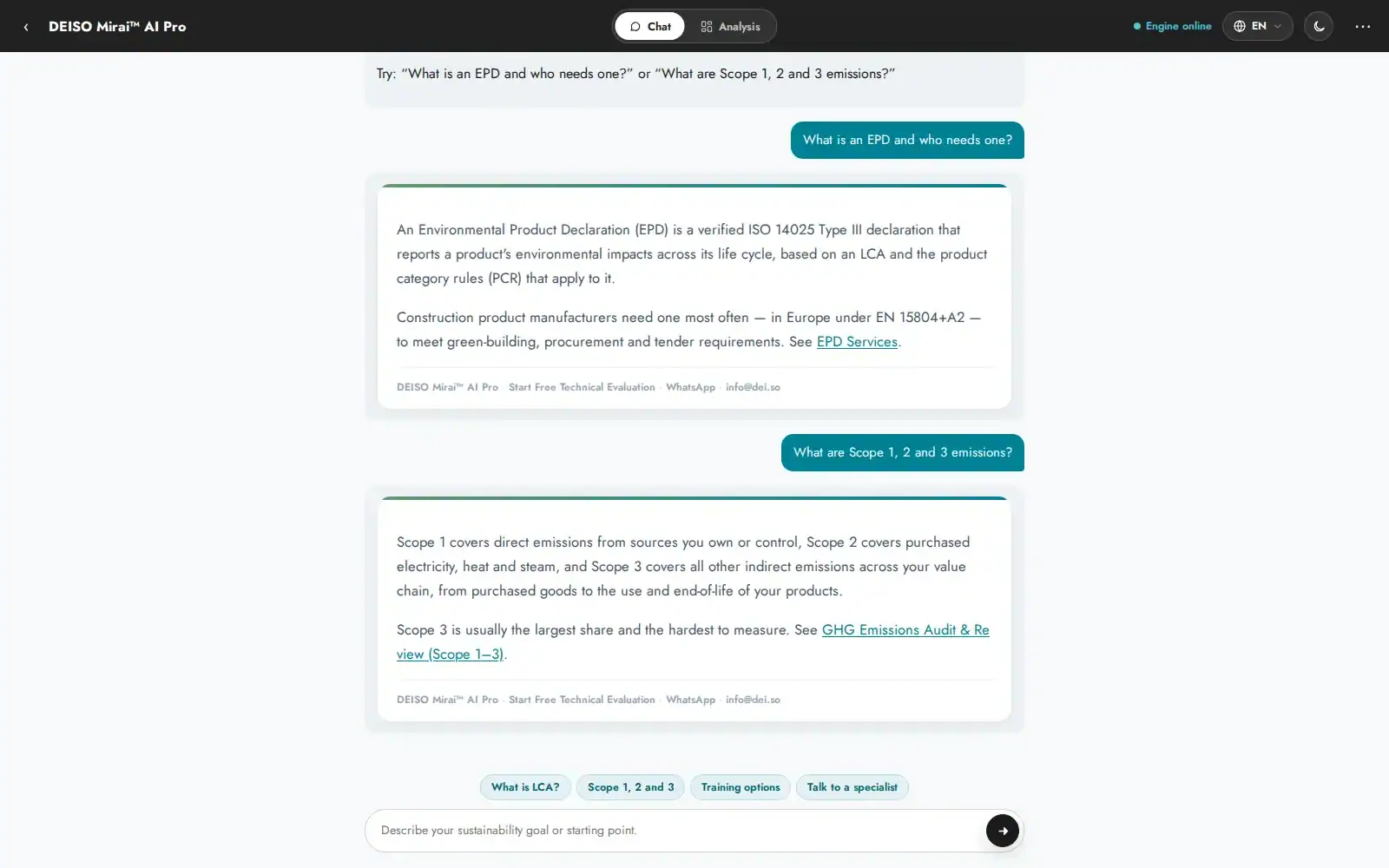
A sun and moon toggle in the toolbar. Dark is the default, built on the DEISO Design System, with no flash when loading.

6 English, Arabic and German

A language switch in the toolbar, a full Arabic interface with right-to-left layout and the new Tajawal Arabic font, and a full German interface.

7 Calendar integration

Book the Free Technical Evaluation inside the conversation — from Book in Analysis, Book evaluation in Chat, or when Mirai offers it after a full analysis.

8 Six Analysis shortcuts

Assess, Plan, Align, Train, Data and Review focus the analysis on your position, a phased roadmap, standards, training, data or submission readiness.

9 The right DEISO page, every time

Through the integration with DEISO WP Pro, an always-current DEISO Page Directory lets Mirai link the most specific service, training or solution page.

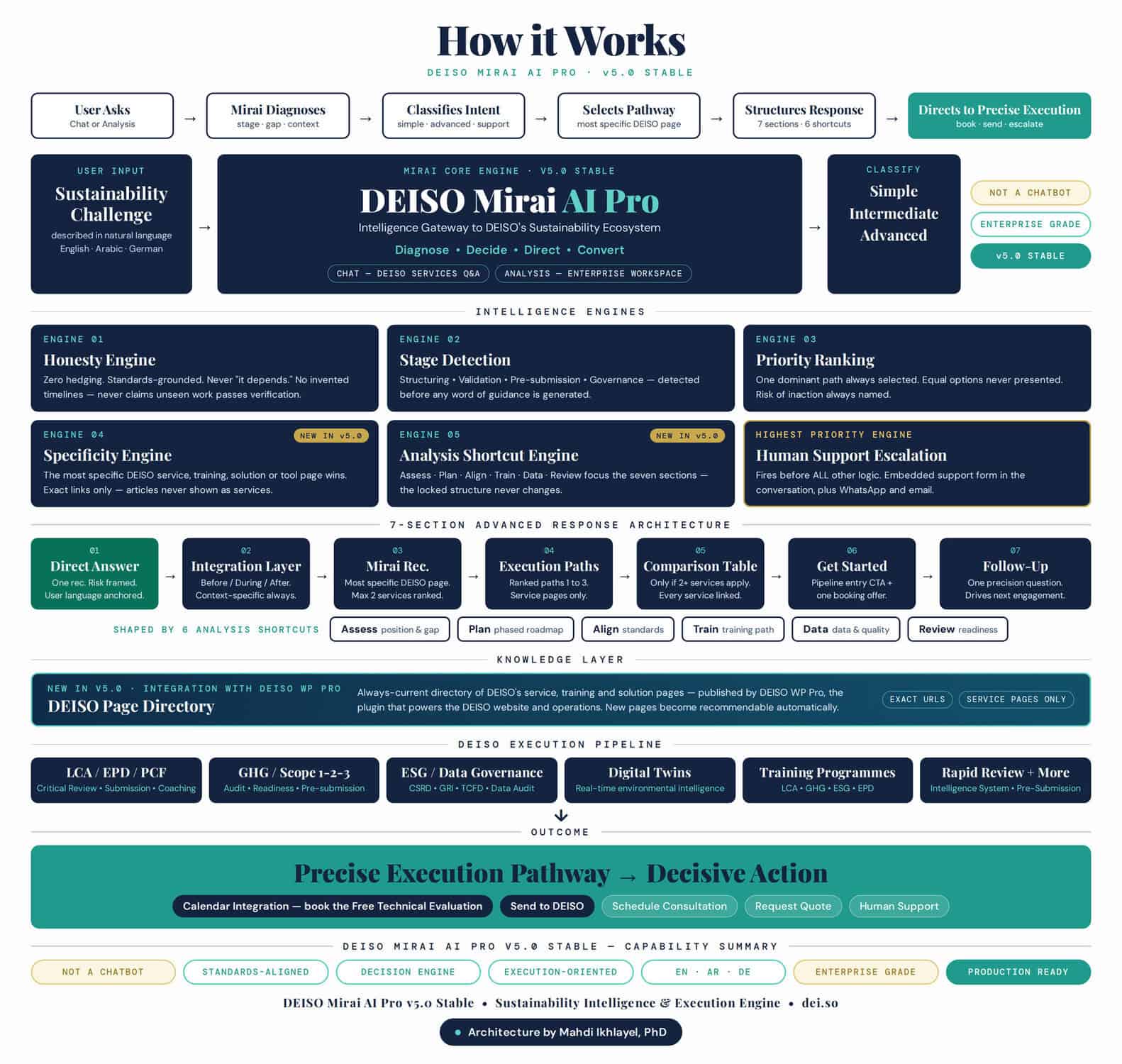
How Mirai v5.0 works

How DEISO Mirai AI Pro v5.0 Stable works: user input, core engine, six intelligence engines, seven-section advanced response architecture with six Analysis shortcuts, DEISO Page Directory knowledge layer, DEISO execution pipeline and outcome

DEISO Mirai AI Pro v5.0 Stable — system architecture. Architected by Dr. Mahdi Ikhlayel.

See Mirai v5.0
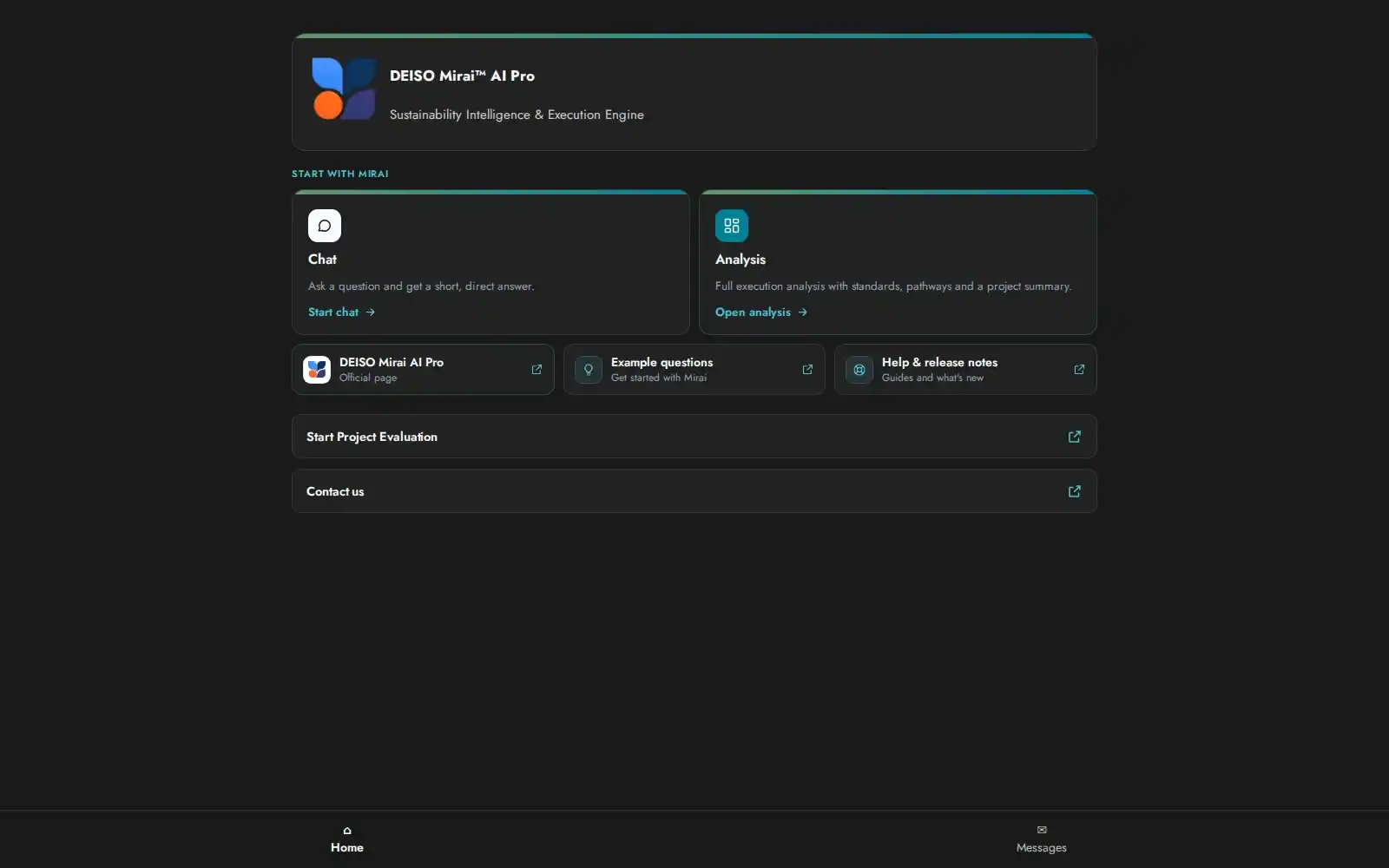
In short: Mirai v5.0 now works both as a fast guide to DEISO's services and as a full sustainability execution workspace connected directly to DEISO — with six Analysis shortcuts, calendar integration, an English, Arabic and German interface, and precise links to DEISO's own service pages. The full list of changes is in the v5.0 Stable changelog below.
1200 630 DEISO

Contact Info.

English Address:
Level 21 Shiodome Shibarikyu Building
1-2-3 Kaigan, Minato-ku
105-0022 Tokyo, Japan.

Japanese Address:
〒105-0022 東京都港区海岸1-2-3
汐留芝離宮ビルディング21階, 合同会社DEISO.

Phone (JP): /
Phone (EN):
Fax: /
Email:

Latest News

Get Started with DEISO the Easy Way!

Seven ways to start

Choose the entry point that fits where you are

Not every visitor knows what they need on day one. These seven onboarding paths cover the full range — from knowing exactly which service you want to starting from a question and letting AI guide you. Pick whichever fits.

1If you know what you needRecommended Find the right DEISO service Match your requirement to the right DEISO service in a few clicks. Filter by LCA, GHG, PCF, EPD, ESG, critical review, S-LCA, waste, circular economy, EIA, and more. Fastest path if you already know the scope. Good for “We need Scope 3 review and pre-submission checks before verification” or “We need an EPD prepared for EN 15804.” Open service finder → 2If you’re building internal capabilityRecommended Explore capacity building programs Match your team to the right DEISO training program — LCA, GHG accounting, PCF, EPD development, ESG reporting, environmental review, ISO 14001, and sector programs. Filter by role, level and format. Good for Teams building in-house LCA, GHG or EPD capability, and organisations aligned with workforce development priorities such as Saudi Arabia Vision 2030. Open training finder → 3If you need technical direction before engagementRecommended Free Technical Evaluation Request an initial technical evaluation for your sustainability requirement before committing to a full engagement. DEISO reviews your project need, technical context, enterprise requirement, reporting objective, and service direction to help identify the right path. Good for Enterprises, suppliers, and public sustainability teams that need technical direction before starting LCA, GHG, PCF, EPD, ESG, or sustainability operating system work. Start free evaluation → 4If you want an answer fast Use quick search Click the search icon in the page sidebar, or press Ctrl Shift Del to open the finder from anywhere on the site. Built for quick keyword lookups when you want results in seconds. Good for Anyone who already knows the term they are looking for — a standard, a service name, a training program — and wants to land on it without navigating. Open quick search → 5If you want to explore in depth Use advanced search Search across the full DEISO knowledge base — services, solutions, methodology, case studies, articles and technical resources. Best for when you want to research first, decide later. Good for Researchers, procurement teams and technical leads comparing methodology depth before opening a conversation. Open advanced search → 6If you’d rather see everything at once Browse the full site map A single index of every page and every article on the site — services, training programs, solutions, methodology, case studies and news. Filter it as you type, or read the structure top to bottom. Good for Returning visitors looking for a page they have seen before, and anyone who would rather scan the whole structure than answer filter questions. Open the site map → 7If you’d rather ask a questionAdvanced Ask Mirai AI DEISO Mirai™ AI Pro is DEISO’s AI guidance assistant. Ask a question about your sustainability need — it maps you to the right service, explains the approach, and hands off to the DEISO team when you’re ready. Try asking “What do we need to prepare for CSRD Scope 3 disclosure?” · “How do we start a product carbon footprint?” · “Which DEISO service fits an EPD project?” Ask Mirai →