

NEW RELEASES
Introducing DEISO GHG Kata: GHG emission factors where no database has one.
Multi-industry, agriculture and CBAM-ready, with every step and its uncertainty shown.
Get Started!

Mirai AI Pro Just Got Smarter with Version 3.3.2

Mirai AI Pro Just Got Smarter with Version 3.3.2

Product update

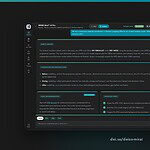
Mirai AI Pro got smarter with version 3.3.2

At DEISO, we work continuously to produce world-class features for our clients, especially across our AI-supported services, training platforms, and communication tools. With that said, we are pleased to announce the launch of our latest version:

Mirai AI Pro v3.3.2

This update brings a set of improvements that make your experience more intelligent, responsive, and human-centered than ever before.

What’s new in v3.3.2

Below is a full breakdown of every new feature introduced in this release:

1. WhatsApp handoff intelligence

Mirai AI now understands when you want to speak with a real person. It will offer an instant WhatsApp handoff when users mention:

  • “Talk to a real person”
  • “Speak to support”
  • “Connect me to the DEISO team”

Need to talk to a human expert right now? Chat with the DEISO team directly via WhatsApp — fast, friendly, and ready to help you.

2. Smart blog suggestion engine

Mirai AI now integrates directly with DEISO Insights. It can:

  • Recommend the right service page based on your query
  • Reinforce the Knowledge Edge Hub as a source of services and thought leadership

3. Design improvements and faster responses

We have improved the interface design and significantly reduced response time to user inquiries.

4. Command pattern matching system

Mirai AI now understands structured requests. This makes prompting smoother, and the experience feels like talking to a real assistant.

5. Dynamic version display in footer and title

Mirai AI now automatically reflects the version number (v3.3.2) across:

  • Title display
  • Footer signature
  • Feature table

No manual updates are needed anymore — fewer errors, more consistency.

6. Dedicated WhatsApp CTA always present

To keep support visible, the WhatsApp contact CTA now appears:

  • In every footer
  • As a styled block
  • With bold formatting, so users never miss support options
# Feature Prompt example Description
1 Insights-based blog suggestions “Suggest me a post from the DEISO Insights blog on circular economy.” Mirai AI intelligently recommends DEISO blog posts relevant to user queries.
2 WhatsApp handoff “Can I speak with someone on the team?” Detects intent to speak with a human and offers WhatsApp support redirection.
3 Smart service matching “I need help with EPD for construction materials.” Suggests the most relevant DEISO service based on query context (training, consulting, etc.).
4 Dynamic version footer (Automatically displayed) Version number in footer syncs with top of the persona dynamically.
5 Structured training comparisons “Compare DEISO training levels for openLCA.” Displays dynamic DEISO-only comparison tables with pricing and level breakdowns.
6 Help command “Help” Returns a structured prompt library categorized by use case.
7 Service & country-specific guidance “What service is best for carbon reporting in Japan?” Returns tailored DEISO recommendations using integrated blog and service content.
8 Prompt detection for blog vs. service need “Do you offer training in Saudi Arabia?” Understands user goal and provides service and relevant blog guidance together.
9 Persona branding and design integration (System-level) Persona reflects DEISO color palette, tone, logos, and naming rules in all messages.
10 Custom chat footers (non-negotiable) (Automatically displayed) Every response ends with a WhatsApp CTA and DEISO contact email on one line.
Next step

Try the new version yourself

Ask Mirai about your scope, and it will point you to the right DEISO service or article — or send us the details directly and we will scope the work.


1228 819 DEISO LLC

Contact Info.

English Address:
Level 21 Shiodome Shibarikyu Building
1-2-3 Kaigan, Minato-ku
105-0022 Tokyo, Japan.

Japanese Address:
〒105-0022 東京都港区海岸1-2-3
汐留芝離宮ビルディング21階, 合同会社DEISO.

Phone (JP): /
Phone (EN):
Fax: /
Email:

Latest News

Get Started with DEISO the Easy Way!

Seven ways to start

Choose the entry point that fits where you are

Not every visitor knows what they need on day one. These seven onboarding paths cover the full range — from knowing exactly which service you want to starting from a question and letting AI guide you. Pick whichever fits.

1If you know what you needRecommended Find the right DEISO service Match your requirement to the right DEISO service in a few clicks. Filter by LCA, GHG, PCF, EPD, ESG, critical review, S-LCA, waste, circular economy, EIA, and more. Fastest path if you already know the scope. Good for “We need Scope 3 review and pre-submission checks before verification” or “We need an EPD prepared for EN 15804.” Open service finder → 2If you’re building internal capabilityRecommended Explore capacity building programs Match your team to the right DEISO training program — LCA, GHG accounting, PCF, EPD development, ESG reporting, environmental review, ISO 14001, and sector programs. Filter by role, level and format. Good for Teams building in-house LCA, GHG or EPD capability, and organisations aligned with workforce development priorities such as Saudi Arabia Vision 2030. Open training finder → 3If you need technical direction before engagementRecommended Free Technical Evaluation Request an initial technical evaluation for your sustainability requirement before committing to a full engagement. DEISO reviews your project need, technical context, enterprise requirement, reporting objective, and service direction to help identify the right path. Good for Enterprises, suppliers, and public sustainability teams that need technical direction before starting LCA, GHG, PCF, EPD, ESG, or sustainability operating system work. Start free evaluation → 4If you want an answer fast Use quick search Click the search icon in the page sidebar, or press Ctrl Shift Del to open the finder from anywhere on the site. Built for quick keyword lookups when you want results in seconds. Good for Anyone who already knows the term they are looking for — a standard, a service name, a training program — and wants to land on it without navigating. Open quick search → 5If you want to explore in depth Use advanced search Search across the full DEISO knowledge base — services, solutions, methodology, case studies, articles and technical resources. Best for when you want to research first, decide later. Good for Researchers, procurement teams and technical leads comparing methodology depth before opening a conversation. Open advanced search → 6If you’d rather see everything at once Browse the full site map A single index of every page and every article on the site — services, training programs, solutions, methodology, case studies and news. Filter it as you type, or read the structure top to bottom. Good for Returning visitors looking for a page they have seen before, and anyone who would rather scan the whole structure than answer filter questions. Open the site map → 7If you’d rather ask a questionAdvanced Ask Mirai AI DEISO Mirai™ AI Pro is DEISO’s AI guidance assistant. Ask a question about your sustainability need — it maps you to the right service, explains the approach, and hands off to the DEISO team when you’re ready. Try asking “What do we need to prepare for CSRD Scope 3 disclosure?” · “How do we start a product carbon footprint?” · “Which DEISO service fits an EPD project?” Ask Mirai →