


Login


More details

allocation methodology

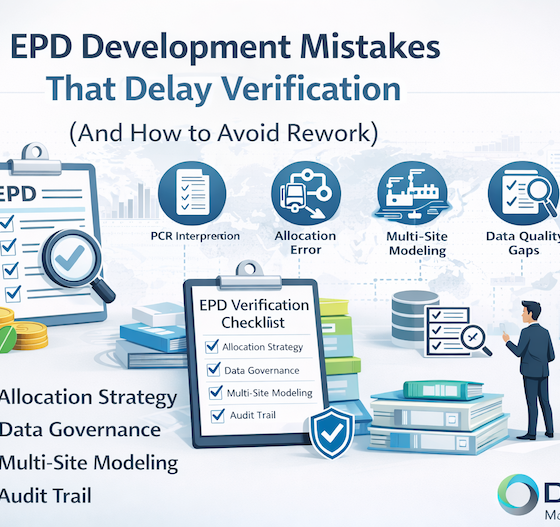
EPD Development Mistakes That Delay Verification (And How to Avoid Rework)

EPD modelingEPD data qualityEPD Development Mistakes That Delay Verification (And How to Avoid Rework)Environmental Product Declarations (EPDs) are increasingly required for:Green building procurementPublic infrastructure tendersEU taxonomy alignmentScope 3 supplier transparencyCarbon disclosure credibilityYet many EPD projects stall during third-party verification.Not because of formatting issues.Not because of minor calculation discrepancies.But because of structural methodological weaknesses.Below are the most common technical failures that delay verification — and how to avoid rework.Allocation Decision RiskThe ProblemAllocation errors are among the most common causes of verification…

Read more
791 527 DEISO
Subscribe

You can refer to the Newsletter Subscription Policy.


Start Typing

Contact Info.

English Address:
Level 21 Shiodome Shibarikyu Building
1-2-3 Kaigan, Minato-ku
105-0022 Tokyo, Japan.

Japanese Address:
〒105-0022 東京都港区海岸1-2-3
汐留芝離宮ビルディング21階, 合同会社DEISO.

Phone (JP): 03-5403-6479 / 0488-72-6373
Phone (EN): 070-6969-7700
Fax: 03-5403-6475 / 0488-72-6373
Email: info@dei.so

Latest News

🆘 DEISO Quick Help & Support Center

🛠️ How to Seek Help from the DEISO Website

🔍 Search Assistance
  • Use Ctrl+Shift+D on any Windows or Mac device to launch our global site search with autocomplete.
  • On both desktop and mobile, click the search icon at the left center edge of the screen to open the same powerful search tool.
  • For detailed exploration, visit our Advanced Search page:
    👉 https://dei.so/advanced-search

🤖 Ask AI for Instant Support

💬 Connect with the DEISO Team

📧 Email Us

🧾 Submit a Support Ticket

📶 Check Platform & Website Status

📚 Need More Help?
  • Visit our Frequently Asked Questions (FAQ):
    👉 https://dei.so/faq
  • Explore our full Help Center:
Toggle Dark Mode