


50% OFF Remote Training Programs
🚀 Advance your professional skills with expert-led online training — now at half the price.

Login


More details

Chemical

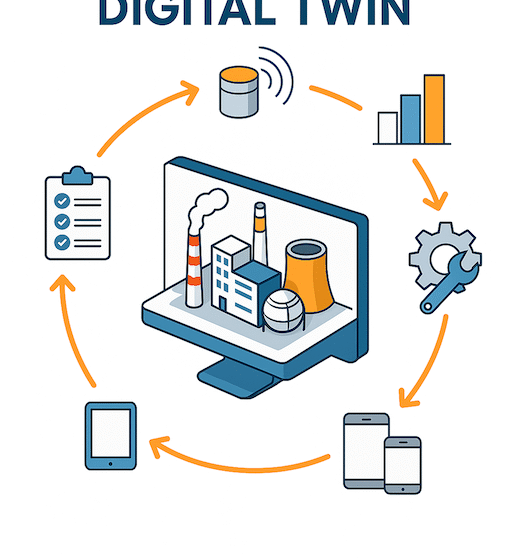
Digital Twin Technology Powered by FRAMENCE

Revolutionizing Operations with Photorealistic Digital Twins DEISO is proud to offer the FRAMENCE Digital Twin Platform — enabling immersive, data-rich environments for industrial assets, construction sites, and technical infrastructure. Schedule a Demo 🏢 Official Partnership Notice 🔔 DEISO LLC is an official global partner of 3. 📘 What is FRAMENCE? FRAMENCE is a next-generation digital twin platform that allows companies to build ultra-realistic virtual models of real-world infrastructure using 3D photos, sensor data, BIM overlays, and more — enabling precise…

Read more
512 768 DEISO
Chemical Process Simulation
Chemical process simulation and optimization graphic
Chemical Process Simulation

environmental consequences, and cost.On the other hand, regulatory changes occur in the industry, market demands, and customer expectations are constant obstacles. Chemical industries demand minimal financial risk, manage performance forecasts, and the effective mangment of by-products and wastes. On the fastest path between concept and production, they become more demanding for acquiring accurate, up-to-date information, data, and optimization. Addressing such needs lead to making the right decisions regarding the projects, whether in industry or academia.Companies can analyze and compare individual…

Read more
1200 675 DEISO
Subscribe

You can refer to the Newsletter Subscription Policy.


Start Typing

Contact Info.

English Address:
Level 21 Shiodome Shibarikyu Building
1-2-3 Kaigan, Minato-ku
105-0022 Tokyo, Japan.

Japanese Address:
〒105-0022 東京都港区海岸1-2-3
汐留芝離宮ビルディング21階, 合同会社DEISO.

Phone (JP): 03-5403-6479 / 0488-72-6373
Phone (EN): 070-6969-7700
Fax: 03-5403-6475 / 0488-72-6373
Email: info@dei.so

Latest News

🆘 DEISO Quick Help & Support Center

🛠️ How to Seek Help from the DEISO Website

🔍 Search Assistance
  • Use Ctrl+Shift+D on any Windows or Mac device to launch our global site search with autocomplete.
  • On both desktop and mobile, click the search icon at the left center edge of the screen to open the same powerful search tool.
  • For detailed exploration, visit our Advanced Search page:
    👉 https://dei.so/advanced-search

🤖 Ask AI for Instant Support

💬 Connect with the DEISO Team

📧 Email Us

🧾 Submit a Support Ticket

📶 Check Platform & Website Status

📚 Need More Help?
  • Visit our Frequently Asked Questions (FAQ):
    👉 https://dei.so/faq
  • Explore our full Help Center:
Toggle Dark Mode