

Company Overview
Download PDF Download PDF
Read moreDownload PDF Download PDF
Read moreEnvironmental Product Declarations (EPD), ESG Reporting, LCA Studies, and Technical Data Analysis are delivered with sharper insights, greater clarity, and impactful storytelling.By continuously evolving — adding new chart types and intelligent analysis models — Satori AI ensures that DEISO clients benefit from cutting-edge data visualization, AI-driven summaries, and strategic decision-making support embedded directly within their project deliverables. ESG, and Technical Reporting.📢 Why Satori AI MattersExclusive to DEISO Projects: Not sold separately; integrated for client value enhancement.AI Storytelling Excellence: Turn technical…
Read moreDear Clients, Partners, and Stakeholders,We are pleased to announce important updates reflecting DEISO's recent global developments, mission expansion, and strengthened brand consistency. ✉️ Updated Company Email AddressesAs part of our strategic global branding initiative — aligned with our domain (🌐 ✅ Logo Concept Highlights: A minimalist globe outlined over a blue-to-green gradient represents technology and nature in balance.The blue-to-green gradient transition symbolizes the evolution from industrial and technological sectors toward ✅ Where to Access the New Logos:Download all logos (single files…
Read moreLearn more about the platform's features and development journey: 4 BetA Highlights:✅ Full data/tables extraction from PDF technical documents✅ Chat directly with PDF, Microsoft Excel, and Word files of technical documents of LCA, GHG, EBP, PCF✅ Enhanced Wizard Mode for automatic process detection in projects✅ Smart extraction of maximum LCI processes from uploaded project files✅ Full lifecycle phase support:⛏️ Raw Material Extraction🏭 Production📦 Packaging🚚 Transportation🔌 Use Phase⚰️ End-of-Life✅ Improved algorithm for enhanced LLM capabilities✅ Experimental GRG Scope Estimation Feature✅ New…
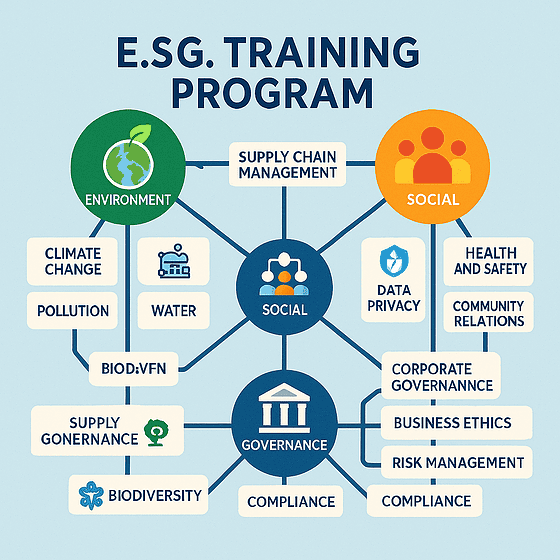
Read moreESG Landscape, Definitions, and Global Fundamentals 2 💼 ESG and Corporate Value Creation 3 🏛️ ESG Frameworks & Regulatory Standards (GRI, SASB, CSRD, TCFD, SDGs) 4 🌱 Environmental Criteria: Risk, Measurement, and Reporting 5 👥 Social Criteria: Human Capital, DEI, and Supply Chains 6 ⚖️ Governance Criteria: Ethics, Compliance, and Board Oversight 7 🧮 Materiality Assessment & Double Materiality 8 🤝 Stakeholder Engagement and Communication Strategy 9 📊 ESG Ratings, Indexes, and Third-Party Assurance 10 📑 ESG Report Structuring and…
Read moreThis content is password-protected. To view it, please enter the password below. Password:
Read moreLogin to Visly visly.dei.so🧠 What Is DEISO Visly?DEISO Visly is not just a platform — it's an ecosystem-enabling environment designed to support our core services, including:Research & ReportingLCA, GHG & ESG ProgramsData Storytelling-as-a-ServiceAI-Augmented Training & CertificationRather than being sold separately, Visly is deployed exclusively within DEISO projects — providing intelligent dashboards, AI insights, collaboration tools, and powerful reporting interfaces for selected services and clients. 🔍 What Can You Do wit DEISO Visly Feature Capability 📊 Visualize Results Mid-/endpoint impact results,…
Read moreenvironmental support📊 Personalized project recommendations based on your operations💬 Guided conversations tailored to your sector and goals🧭 Smart navigation of the DEISO website 🎉 What’s New in Mirai AI v3.0🌈 Brand New Major Features1️⃣ 🧠 LLM-Powered Global Personalization EngineMirai now understands your industry, goals, and operating countries to recommend precise solutions from DEISO’s offerings.Try these prompts:🌍 "I run a cement company in France. What and get expert sustainability support — 24/7, personalized, and ready to guide you.🧠 Have a question? Just…
Read moreEPD, PCF, and GHG topics continues to grow. As remote work and digital learning become the new norm, we want to make high-quality training even more accessible — and more rewarding.🔒 Important NoteThis referral program is exclusively available via Zoom for DEISO’s remote training courses. It does not apply to in-house, on-site, or off-site training formats.🚀 Ready to Get Started?If you’ve previously trained with DEISO, now’s the perfect time to share that experience with others and enjoy savings on your…
Read more